
Diese Hilfe gibt es auf Deutsch und Englisch.
Tasks
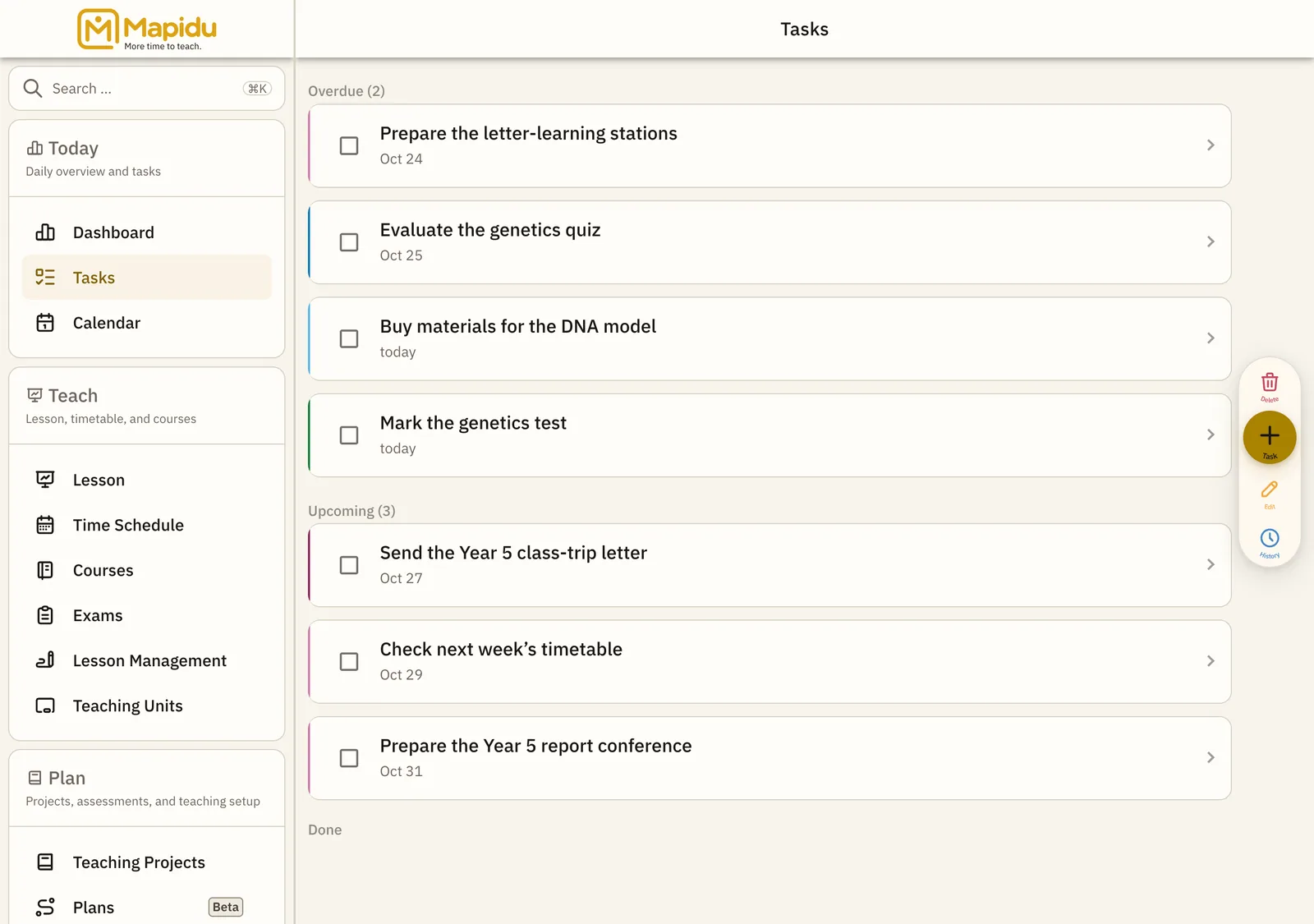
Your to-dos for marking, prep, and reminders — separate from the calendar but sharing the same due dates.
- Where to find it
- Menu → Tasks.
- How to use it
- See open tasks grouped by date, tick off what is done, and add new ones via the plus — as a sheet from the bottom.
- What it does for you
- Marking piles and small prep steps no longer vanish between lessons and the end of the day.
Screen elements
Task groups
Open tasks sorted into Today, Upcoming, and Later. Main area of the tasks page. Scroll the groups and tap to complete. See instantly what is due today.
Plus action
New task with title, due date, and optional course link. Centre of the action bar at the bottom. Tap plus → fill the form → save. The task appears in the list and on the dashboard.
History
Completed tasks from recent days — for reference. Via the task history link when offered. Open history and scroll back. Find when you finished something.