
Diese Hilfe gibt es auf Deutsch und Englisch.
Plan outline
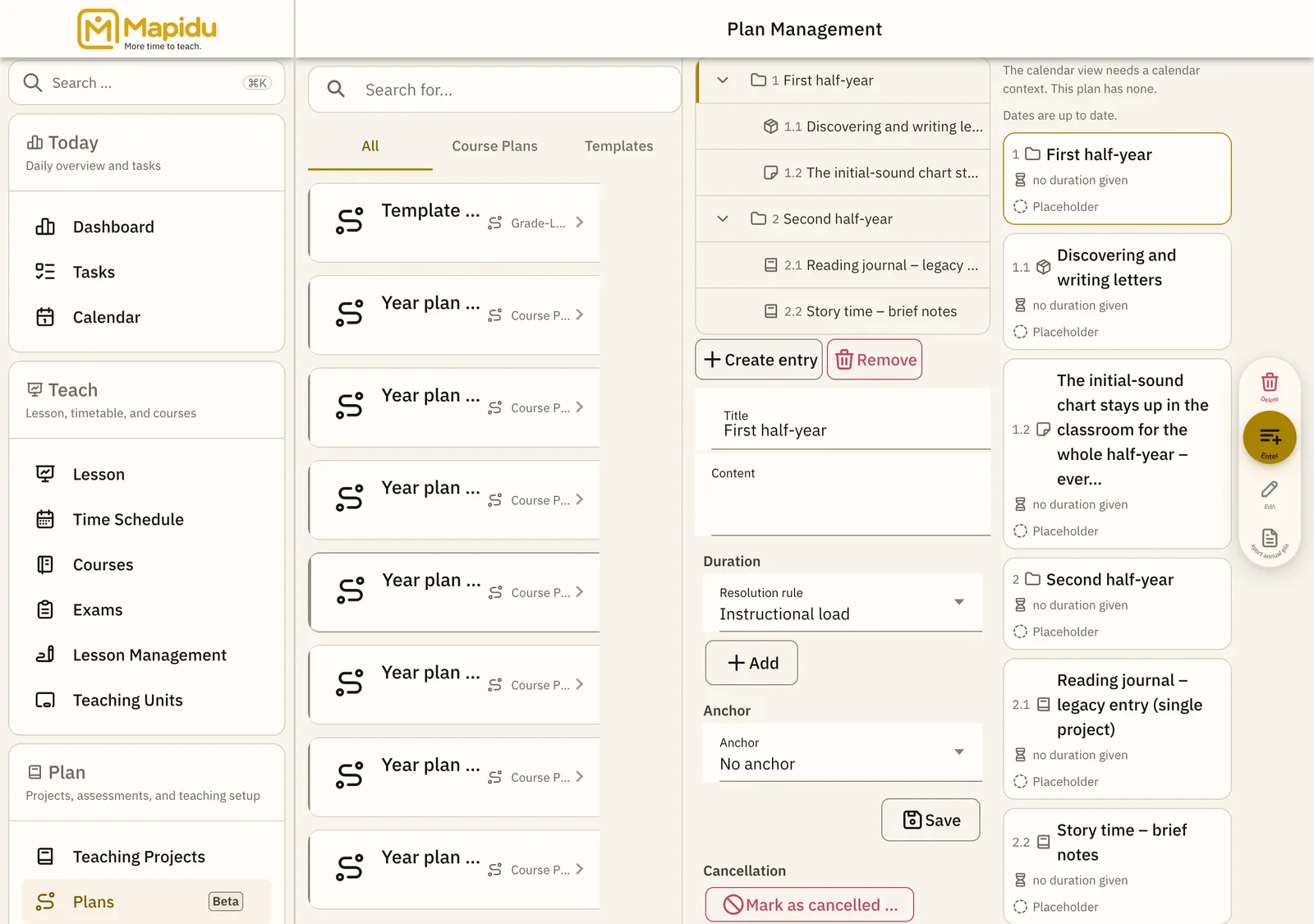
The outline is the content of a plan: a tree of entries, each with its outline number such as 3.2.
- Where to find it
- Menu → Plans, then select a plan. The outline sits in the middle, the "Sequence" view beside it on the right.
- How to use it
- "Add" creates an entry below the one currently selected; a toolbar above the list reorders them. Tap an entry to edit it.
- What it does for you
- Outline numbers recompute the moment you reorder — you never maintain a numbering by hand.
Four kinds of entry
- Block — an outline level that carries a title and content of its own
- Project — a teaching project from your library, placed here rather than copied
- Module — a reusable building block, see the next chapter
- Note — as Note, Caution, Milestone, or a custom kind
Outline controls
Add
Creates a new entry. Above the outline. First select the entry the new one should sit under — with nothing selected it lands at the top level. Then choose the "Entry kind" and fill it in. Only what is permitted at that position is offered.
Reorder
Four buttons: move up, move down, indent, outdent. In the toolbar above the outline. They act on the selected entry; the keyboard does the same with Alt and the arrow keys. Dragging with the mouse is not provided here.
Remove
Takes the selected entry out of the plan. Next to "Add", as soon as an entry is selected. The first tap asks "Really remove?", the second removes. Removed entries stay for 30 days under "Recently deleted entries" and can be restored from there; after that they are gone.
"Sequence" view
The same plan as cards in its order — with outline number, duration, and state (Placeholder, Planned, Reviewed, Confirmed). To the right of the outline. Switch between "Sequence" and "Calendar". The calendar view is not built in this version; the button stays disabled and names the reason.
Why fewer kinds are offered in some places
- Every plan follows a profile. It settles which kind of entry may stand where — which is why "Create entry" offers different kinds depending on the entry you selected.
- At the top level: Block, Project, and Note.
- Under a Block: Module, Project, and Note — a Block inside a Block is not provided for.
- Under a Project, a Module, or a Note: nothing. It then reads "The profile does not permit any kind at this position." That is the rule, not a fault.
- The profile has no settings page of its own. It follows from the plan type, and every plan type uses the same one.
- If a move is refused, nothing in the plan changes; the message below says what stood in the way.