
Diese Hilfe gibt es auf Deutsch und Englisch.
Annual plan
The annual plan is the level above the single teaching project: it records what comes up in a school year and in what order — as a course plan for one course, or as a template for a whole grade level.
- Where to find it
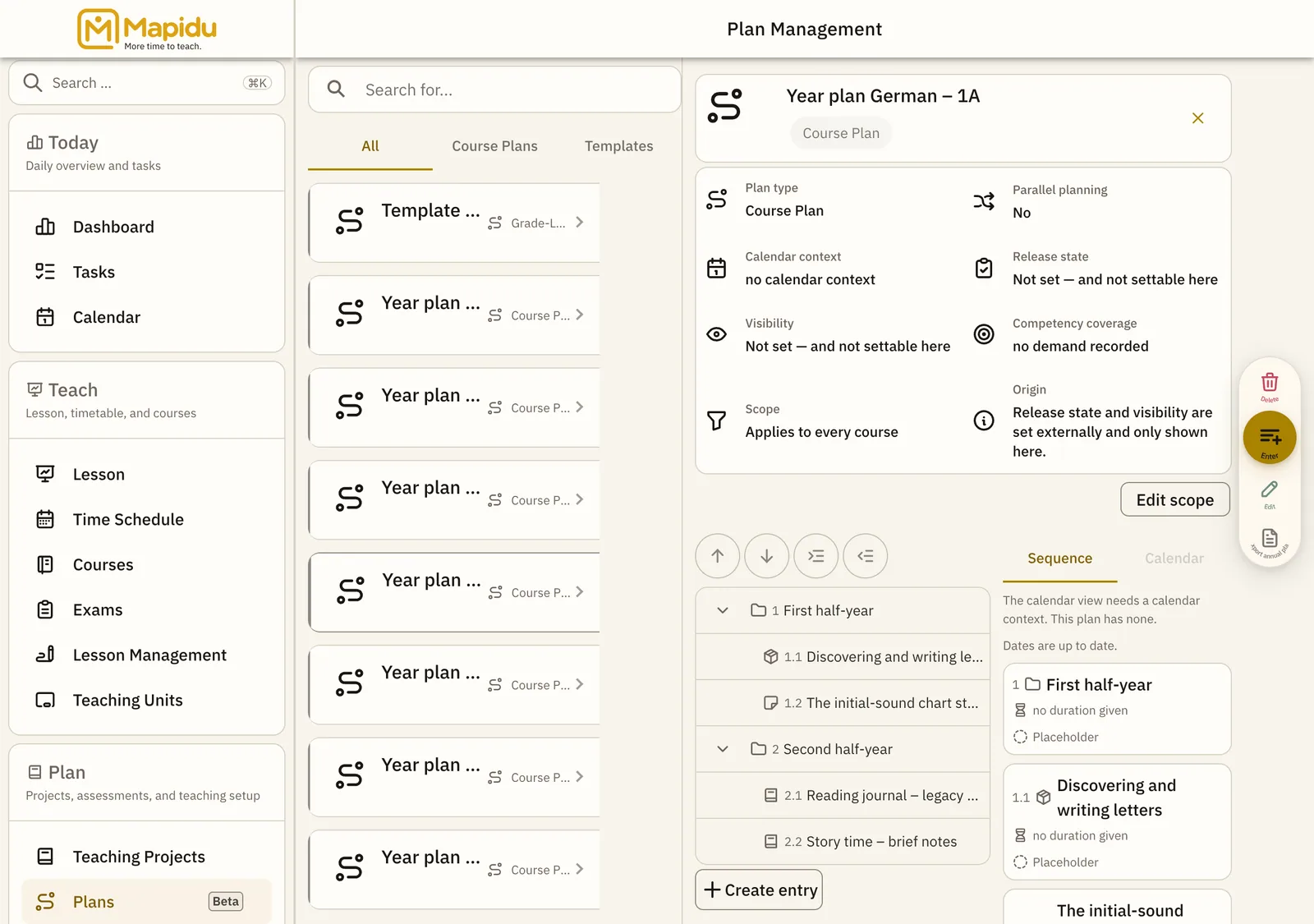
- Menu → Plans. The page is called Plan Management: your plans on the left, the selected one with its outline on the right. Above the list you separate All, Course Plans, and Templates.
- How to use it
- Create a plan, break it into entries, and place your teaching projects there. From a template you later make a course plan of its own with "Roll out".
- What it does for you
- This way you plan a school year once and use it for several courses, without the courses changing one another.
Three ways to a plan
- Course plan For one specific course. You pick the course, and the plan's school year, subject, learner group, and grade level come from that course — you do not type them. Without a course there is no course plan.
- Template For one grade level — no course, no learner group, and no weekdays. A subject is optional. The grade levels offered go up to the one entered as the highest under Settings › School year.
- Roll out Open a template and choose "Roll out". It becomes a course plan of its own: you can adapt it freely, and a later change to the template does not reach it. The same template can be rolled out onto several courses.
What the plan overview shows
- Plan type — Course Plan, Subject Plan, or Grade-Level Plan
- Parallel planning — whether two entries may share the same order number
- Calendar context — or "no calendar context"; a plan without one stays fully editable
- Competency coverage — see the chapter Modules & competencies
- Release state, Visibility, and Origin — three entries Mapidu does not set itself. They carry plans that came from another program; on a plan created here they stay empty.
Weekly lessons and the instruction-time table
- The instruction-time table sits under Menu → Base Data → Instruction Time: one row per subject and grade level.
- A row carries period and unit — week and lessons, say — plus a minimum, a recommended and a maximum value, the binding level (Binding, Recommended, or Indicative), the source, and a validity range.
- A template reads its weekly lessons from there. There is no input field for them on the plan itself.
- Without a subject there is no reading: it yields no number — not even zero. Nothing is estimated.
- Your own figures go on a single entry as a time allocation, for instance "Lessons per week". It is accepted as entered — Mapidu does not currently compare it with the lessons in your timetable, and does not refuse it either.