
Diese Hilfe gibt es auf Deutsch und Englisch.
Calendar & tasks
Events and tasks beside your teaching — meetings, marking deadlines, and birthdays.
- Where to find it
- You open them via Menu → Calendar.
- How to use it
- Pick a month or week, tick off tasks, and add something new via the plus.
- What it does for you
- Deadlines also surface on the Today dashboard, so you forget less.
Screen elements
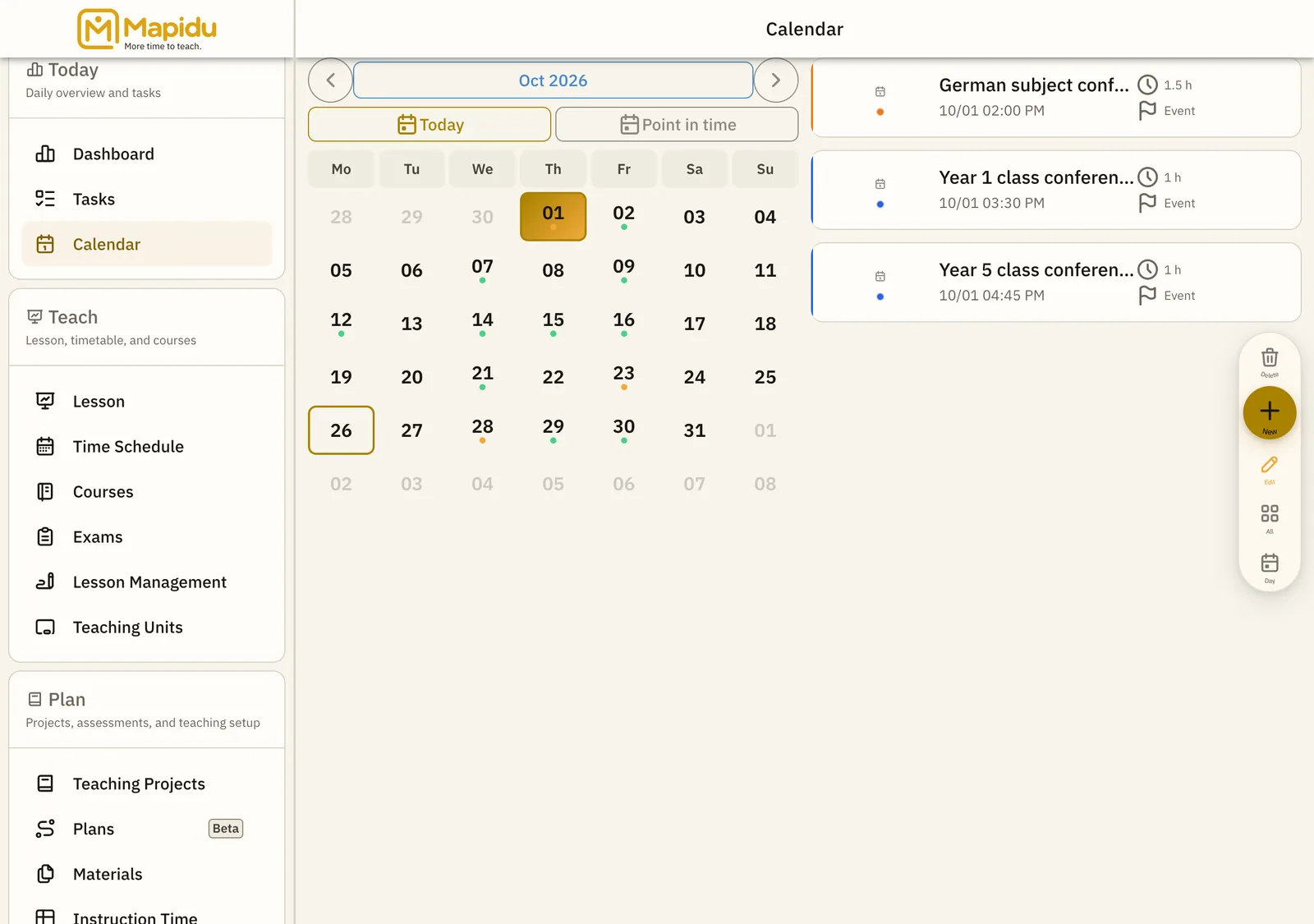
Calendar view
A month or week overview with colour-coded events. It forms the main area of the calendar page. Switch between month and week and tap a day. This way you plan the long term beside the daily routine.
Task list
Your open tasks together with their due dates. It sits beside or below the calendar. Tick off what is done and add new ones via the plus. This way marking and to-dos stay visible until they are done.
Birthdays
Your students' birthdays, whenever they are stored in master data. They appear in the calendar and on the Today dashboard. They show up automatically — no entry needed. This way you remember the personal moments more easily in everyday life.
Device calendar
Optionally you can show events from your tablet or phone. You set this up under Menu → Settings → Calendar, only with your permission. Enable the feature in settings and confirm access. This way private and school life share one view, if you like.