
Diese Hilfe gibt es auf Deutsch und Englisch.
Grades & participation
Written grades and oral participation, either per student or per course.
- Where to find it
- You find both under Menu → Grade management.
- How to use it
- Pick a student or course on the left, read the history on the right, and add a grade via the plus.
- What it does for you
- One question, one answer: how is this student doing right now?
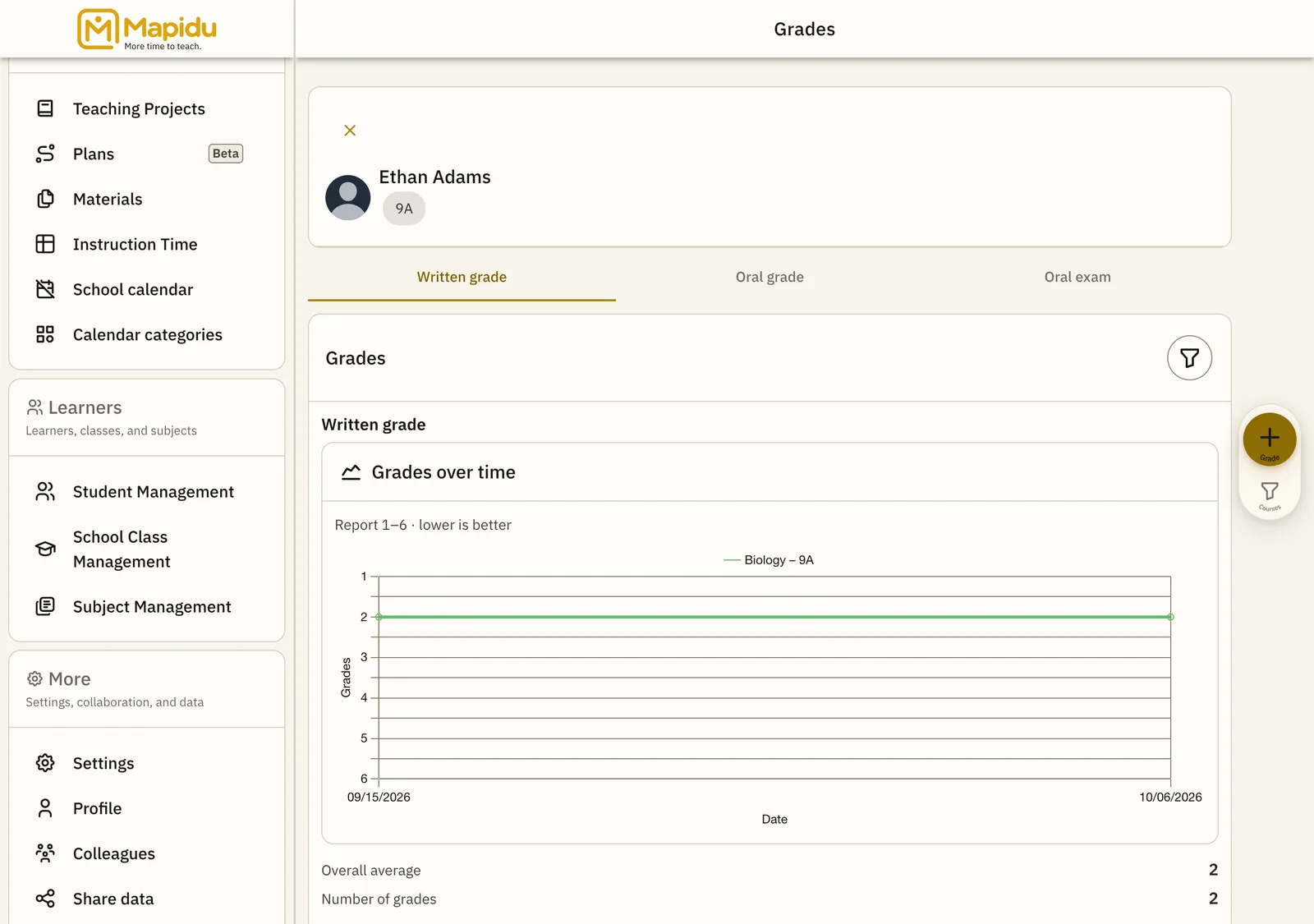
Screen elements
Student / course list
Here you choose whose grades and participation you are viewing. It sits in the left column of grade management. Tap a name or course. The matching history and statistics then appear on the right.
Course filter
A way to narrow down to a single subject or course. You find it above the list or in the header. Choose a course from the list. This way you see only the relevant entries and scroll less.
Grade entry
A form or quick entry for a new grade. It opens in the detail area on the right or via the plus. Enter the grade, date, and an optional description, then save. The grade then appears at once in the history and the evaluation.
Participation history
Oral participation, gathered from lesson conduct. It sits in the student detail, usually as its own section. Just scroll through — new entries appear automatically during class. This way oral performance stays fully traceable.