
Diese Hilfe gibt es auf Deutsch und Englisch.
Teaching projects
A teaching project is your plan for a lesson or series — with goals, phases, tasks, and materials.
- Where to find it
- You create it via Menu → Teaching projects, and use it in lesson conduct and when assigning in the timetable.
- How to use it
- You create a project, add phases, assign it to a lesson, review it beforehand, and step through it in class.
- What it does for you
- This way plan and delivery mesh, and the thread never breaks.
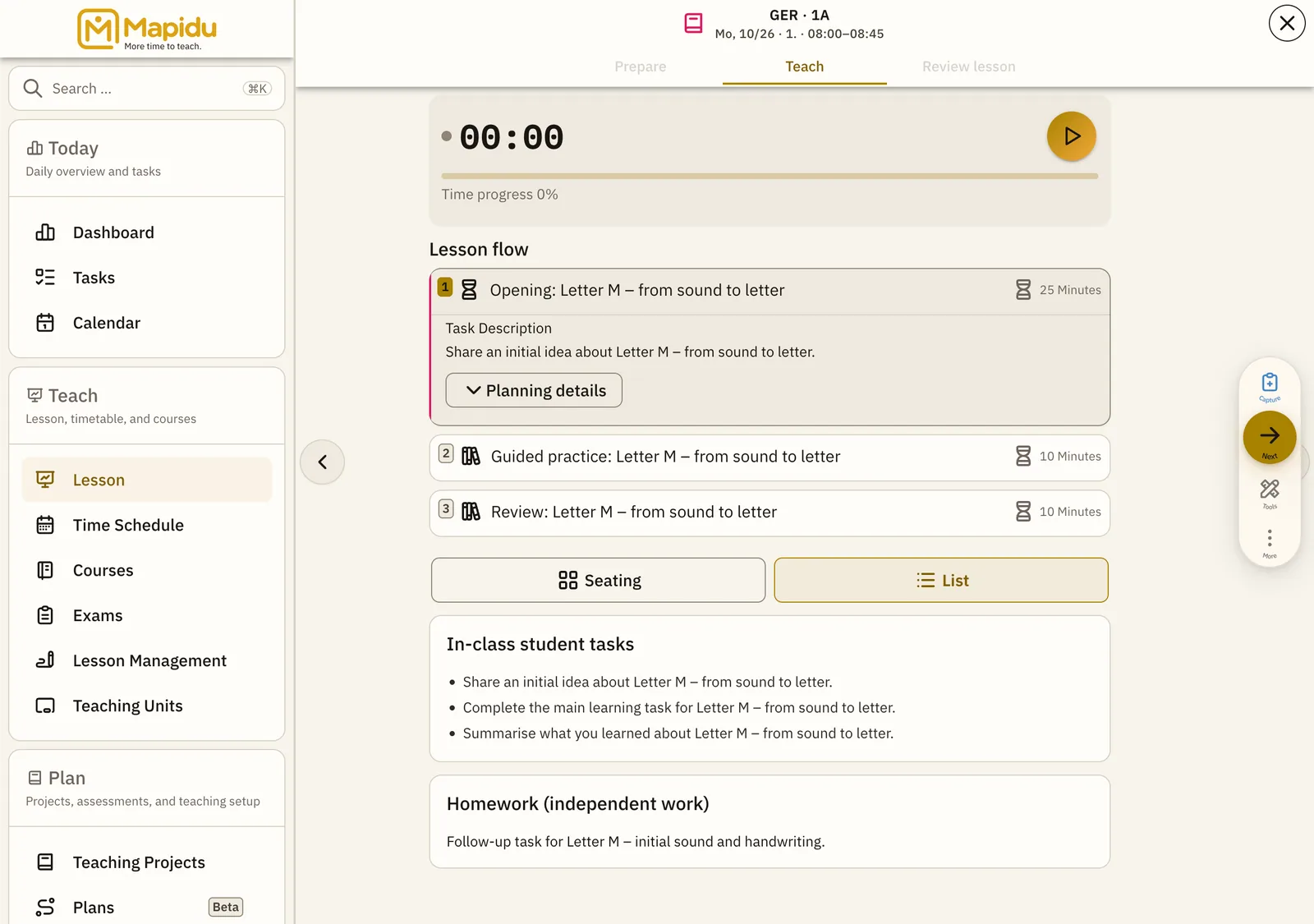
Elements during class
Now card
The current step with its task and duration. It sits at the centre of lesson conduct. Read it and switch phase with the arrows. This way you give clear orientation for you and the class.
Phase timeline
All steps of the project, in order. It lies below the Now card. Tap a phase to activate it. This way you keep past and upcoming always in view.
Plan details
Materials, social form, and goal — visible in detailed mode. They are expandable on the Now card or a phase. Tap "Details" or the arrow. This way a substitute, or you, have all the info ready for class.
Terms
- Teaching project — your plan with phases and goals
- Teaching unit — one concrete lesson, linked to a project
- Simple / Detailed — two input modes when planning; switch any time