
Diese Hilfe gibt es auf Deutsch und Englisch.
Course view
The course view gathers everything for one subject-class course — overview, lesson log, and links — instead of looking at students one by one.
- Where to find it
- Menu → Course view.
- How to use it
- Pick a course on the left and switch between "Overview" and "Course log" at the top; in the log you see past lessons and open details.
- What it does for you
- You see at a glance what has happened in Math 9a — and jump from there into attendance or follow-up.
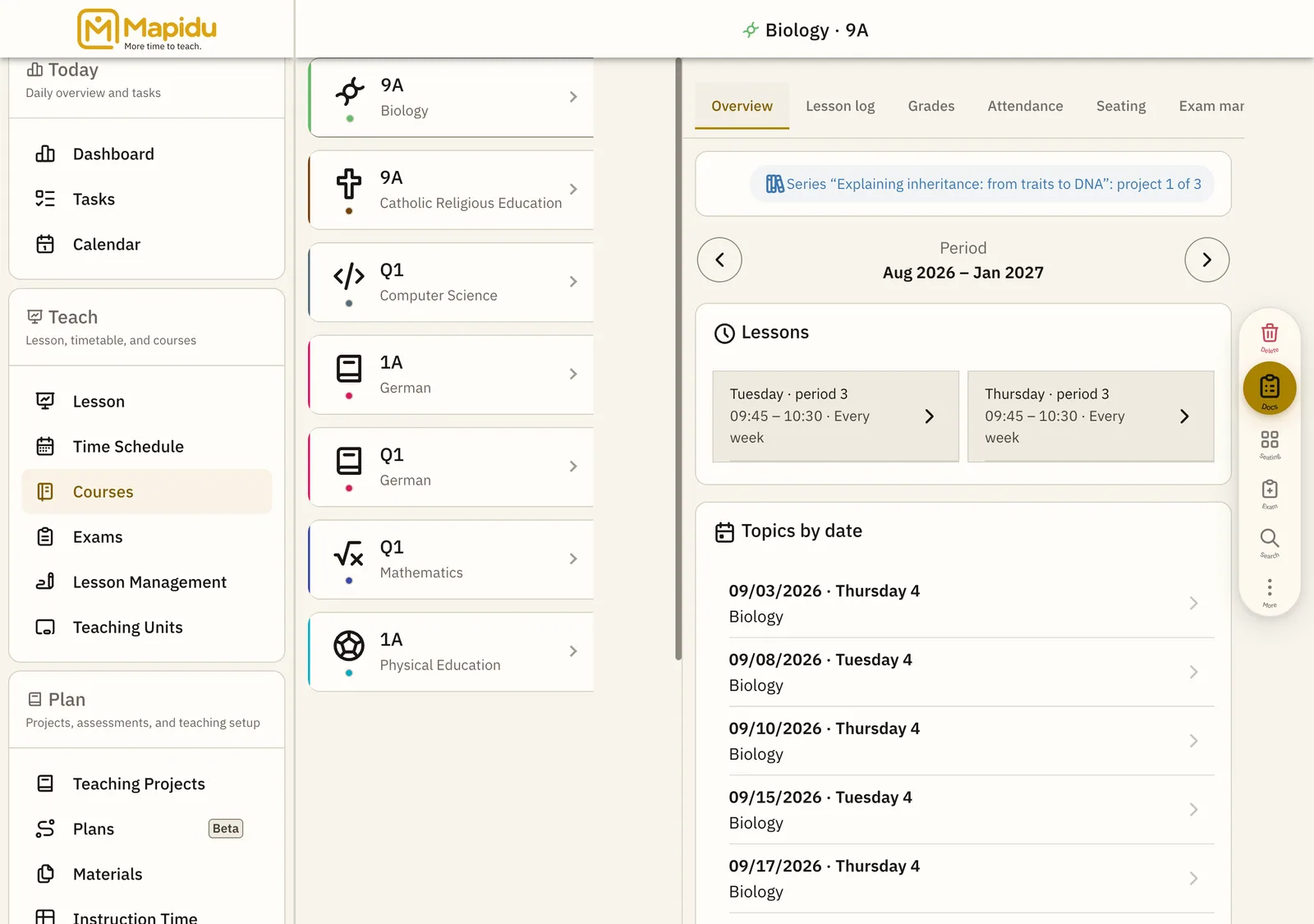
Screen elements
Course list
All courses with subject, class, and short info. Left column in course view. Tap a course. Overview or log appears on the right.
Overview / log segment
Two views: master data and stats, or a chronological lesson log. Top of the detail area after selection. Tap the segment you need. Switch between planning and look-back easily.
Log entries
Each taught lesson with date, topic, and short status. In the Course log segment. Tap an entry for attendance and notes. Document the school year per course.
Shortcuts
Jumps to grades, students, or teaching projects for the course. On the overview as cards or links. Tap the area you need. Fewer menu hops — everything hangs off the course.