
Diese Hilfe gibt es auf Deutsch und Englisch.
School calendar
School holidays, public holidays, closure days, and other non-teaching days — the days on which no lesson takes place.
- Where to find it
- Menu → School calendar. The app stays fully usable without a school calendar; only the non-teaching days are then missing.
- How to use it
- Create a school calendar, then record entries — by hand, from a bundled dataset, or from the device calendar.
- What it does for you
- On a non-teaching day grading is suspended: you cannot schedule an exam for it, and the app accepts no grade for that day.
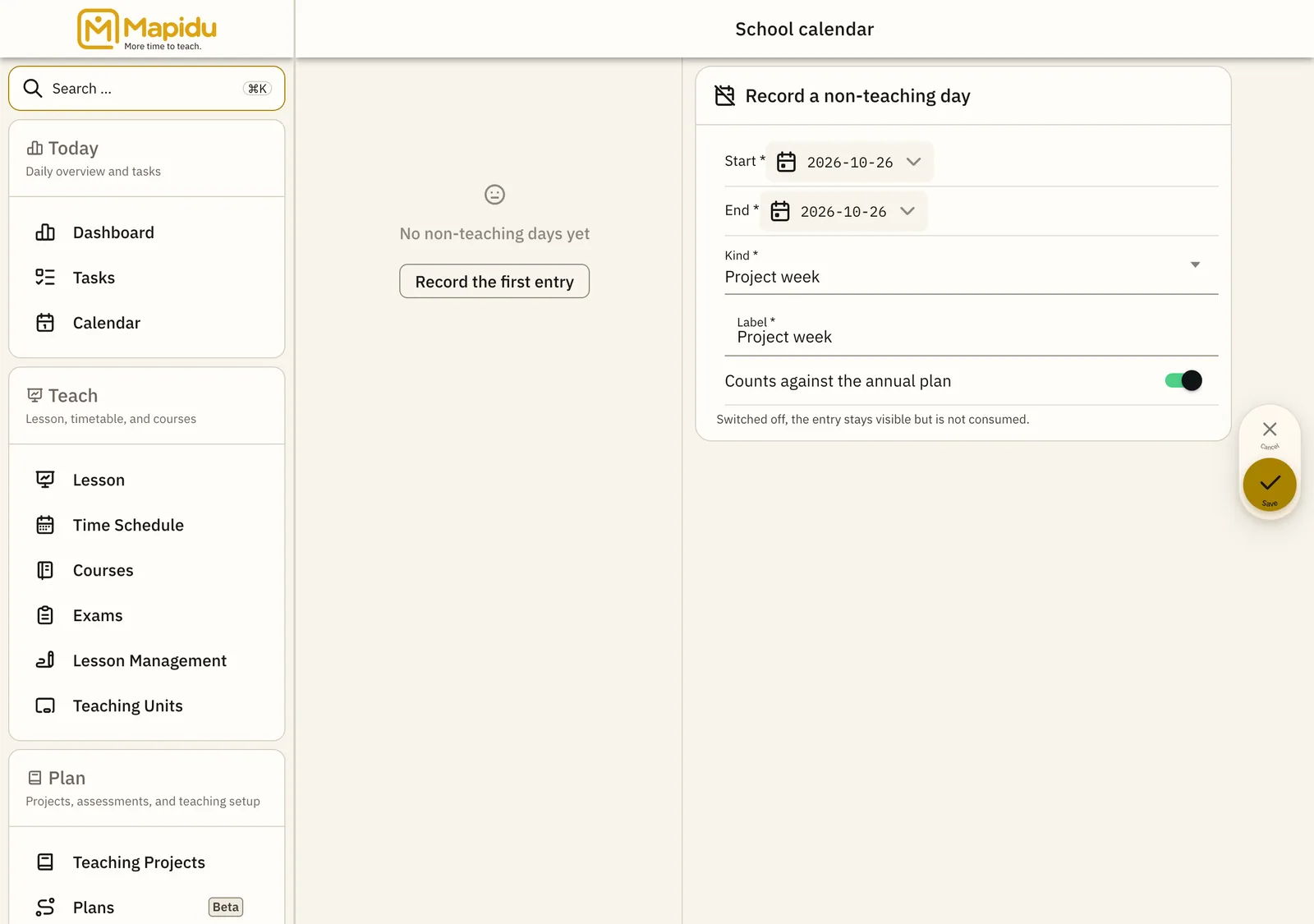
Three ways to an entry
- Your region The country and region your school holidays and public holidays apply to. Once chosen, Mapidu suggests the matching data set instead of making you look up an identifier. What the second level is called depends on the country — in Germany it is the federal state.
- By hand "Record a non-teaching day" → period or single day, type, and label. A period can also be taken straight from a selection in the calendar.
- Bundled dataset School and public holidays from a data set the app ships with. Once your region is set, the matching data set is preselected; the others stay reachable, they just move down the list. Nothing is downloaded.
- Device calendar Public holidays from a calendar on the device. School holidays only come along if a holiday calendar is subscribed to on this device.
What the region setting does
- You choose it during setup in the calendar step, or later in the school calendar. It is optional: without it Mapidu stays fully usable, you simply get no suggested holidays.
- It belongs to you, not to this device — your other devices pick it up when they sync.
- If you change it, Mapidu asks before it swaps anything. Only what was taken from the old region is swapped, and only for the same school years.
- Anything you entered or corrected by hand stays untouched by the change.
- A data set is never replaced without naming how many entries changed.
Types of non-teaching day
- School holidays
- Public holiday
- Movable holiday
- Closure day
- Exam block
- Project week
- Other
What an entry carries
- Period or single day, type, and label
- "Counts against the annual plan" — switchable off; the entry then stays visible but is not consumed
- Origin: official import, recorded by the school, inherited, or recorded here
- The calendar itself carries a status: Draft, Active, or Archived